Table of Contents
Email remains an essential communication tool for businesses, helping employees coordinate projects, communicate with customers, and manage invoices. However, it is also a common channel used by cybercriminals to trick employees into revealing sensitive information or opening malicious links.
A single misleading email can put business accounts, confidential files, and financial transactions at risk. For businesses across Delhi NCR and India, implementing effective business phishing protection measures is an important step towards building a safer working environment.
The good news is that practical security controls and employee awareness can help businesses recognize suspicious messages and respond appropriately.
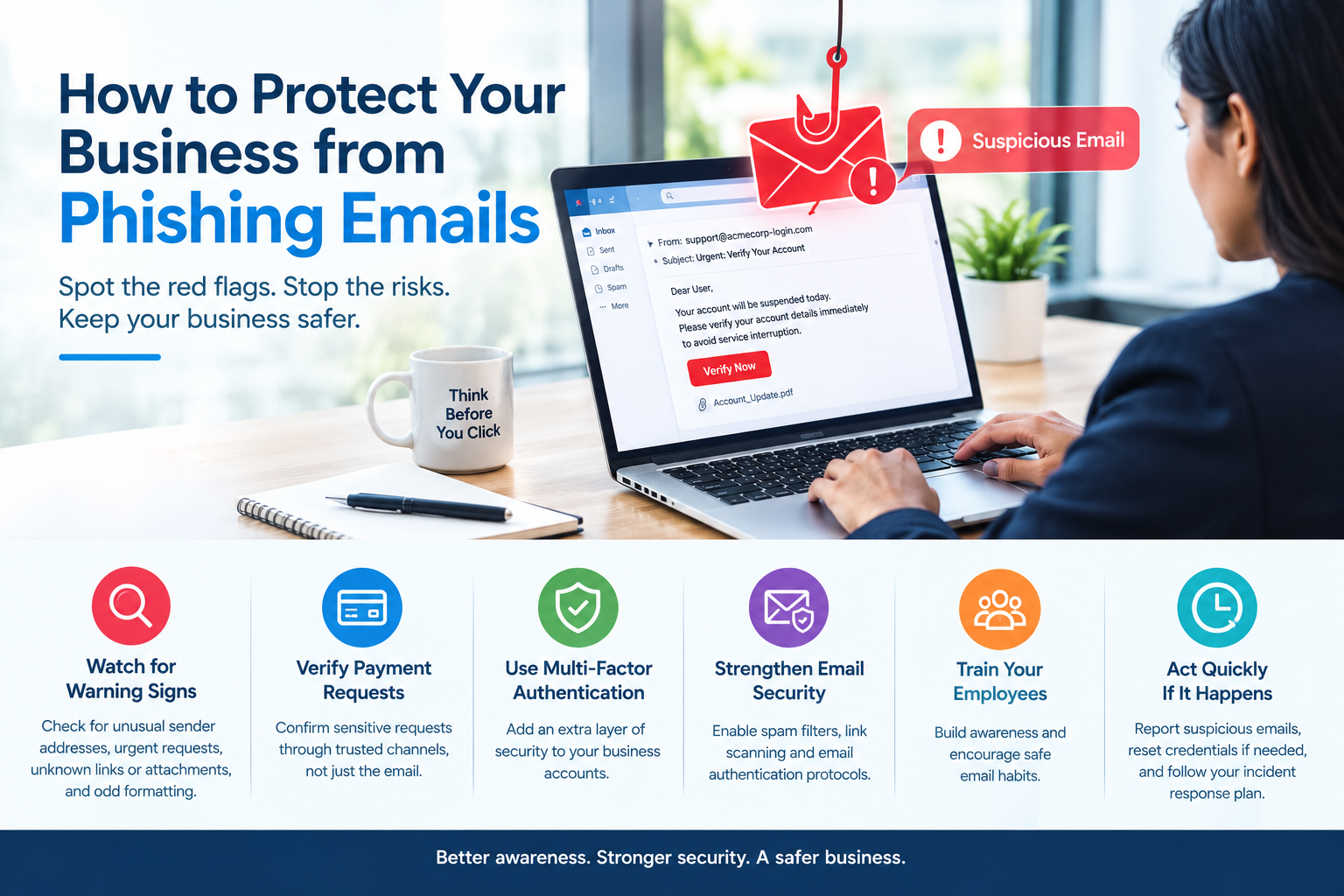
1. Learn to Recognize Common Phishing Warning Signs
Phishing emails are designed to appear as if they come from trusted sources, such as banks, suppliers, colleagues, or familiar online services.
Before responding to an unexpected email, look for warning signs such as:
- Unusual sender addresses or misspelled domain names.
- Urgent demands to transfer money or provide confidential information.
- Unexpected attachments or links.
- Requests to verify passwords or account details.
- Messages containing unusual grammar, formatting, or unexpected instructions.
Some phishing emails are professionally written and closely imitate genuine business communications. When something seems unusual, verify the request before taking action.
2. Verify Payment Requests and Sensitive Instructions
Business email scams sometimes involve criminals impersonating executives, suppliers, or business partners to request urgent payments or changes to bank details.
These requests can appear convincing, particularly when they arrive during busy working hours.
Establish a clear verification process for financial transactions and sensitive requests. For example, confirm changes to supplier bank details through a previously verified phone number rather than relying on the contact information provided in the suspicious email.
Employees should also verify unusual requests for customer data, login credentials, or confidential documents.
3. Use Multi-Factor Authentication
Strong passwords are essential, but they may not be enough if an attacker obtains a user’s credentials.
Multi-factor authentication (MFA) adds another verification step when someone signs in to an account. Depending on the service, this may involve an authenticator app, a security key, or another supported verification method.
Enable MFA for business email, cloud applications, administrator accounts, and remote access wherever possible. Prioritize stronger, phishing-resistant authentication options when supported.
This extra layer can help reduce the risk of unauthorized account access.
4. Strengthen Email Security Controls
Businesses can use technical safeguards to help detect or block suspicious messages before they reach employees.
Depending on the email platform, useful controls may include:
- Spam and phishing filtering.
- Malicious link and attachment scanning.
- Multi-factor authentication and suspicious sign-in alerts.
- Email authentication protocols such as SPF, DKIM, and DMARC.
- Appropriate restrictions on external forwarding and account access.
These controls should be configured and reviewed regularly. No email security solution can guarantee that every phishing attempt will be blocked, so technical protection must be combined with employee awareness.
5. Train Employees to Handle Suspicious Emails
Regular cybersecurity awareness training helps employees understand how phishing attacks work and what to do when they encounter a suspicious message.
Teach staff not to open unexpected attachments, click unfamiliar links, or share passwords through email. Provide a simple way to report suspicious messages to the appropriate IT contact.
Businesses can also conduct suitable phishing awareness exercises to identify training needs and reinforce safe habits without blaming employees for mistakes.
6. Act Quickly if Someone Clicks a Suspicious Link
Even careful employees can occasionally make mistakes. A quick response can help limit potential damage.
If an employee interacts with a suspicious email, they should report it to the IT team immediately. Depending on the situation, the response may include resetting affected credentials from a trusted device, revoking active sessions, checking account activity, and isolating a potentially compromised device.
If financial information or funds are involved, notify the relevant bank or payment provider promptly. In India, suspected cybercrime can also be reported through the official National Cyber Crime Reporting Portal at cybercrime.gov.in.
Conclusion
Phishing emails remain a significant cybersecurity concern for organizations of every size. Recognizing warning signs, verifying sensitive requests, enabling MFA, strengthening email security, and training employees can help businesses reduce their exposure to these threats.
Effective business phishing protection is not a one-time task. It requires regular reviews, clear reporting procedures, and a workplace culture where employees feel comfortable raising security concerns.
Need help strengthening your business email security?
Rational Systems can help your business explore IT support and technology solutions suited to its requirements. Visit rational.co.in to learn more about our services and discuss your IT security needs.
Protect your business by making email security part of your everyday operations.