Table of Contents
Why Your Expensive Router Still Fails in a Concrete Home
Almost every few weeks, someone tells me some version of the same story.
They spent ₹15,000 to ₹25,000 on a premium router. The box promised “whole-home coverage” and speeds that sounded unreal. It works perfectly in the drawing room. Then they walk upstairs to the bedroom, or step onto the terrace, or sit in the study behind the staircase, and the signal drops.
They assume the router is faulty. Usually it isn’t. The problem is the house.
I’m Sumit, and I run Rational Systems, an IT infrastructure and managed wireless company in Delhi NCR. We have spent close to three decades on networks, and the last several years designing Wi-Fi for homes, offices, hotels and campuses across the region. The single most common home problem we see has nothing to do with the router brand. It’s the building material.
Indian homes are built differently from the homes those routers were designed for. Most product marketing comes from markets where houses are timber-framed with drywall partitions. Wi-Fi passes through that easily. Your home probably has reinforced cement concrete (RCC) slabs, brick or fly-ash walls, steel rebar, and often stone flooring and metal-framed doors.
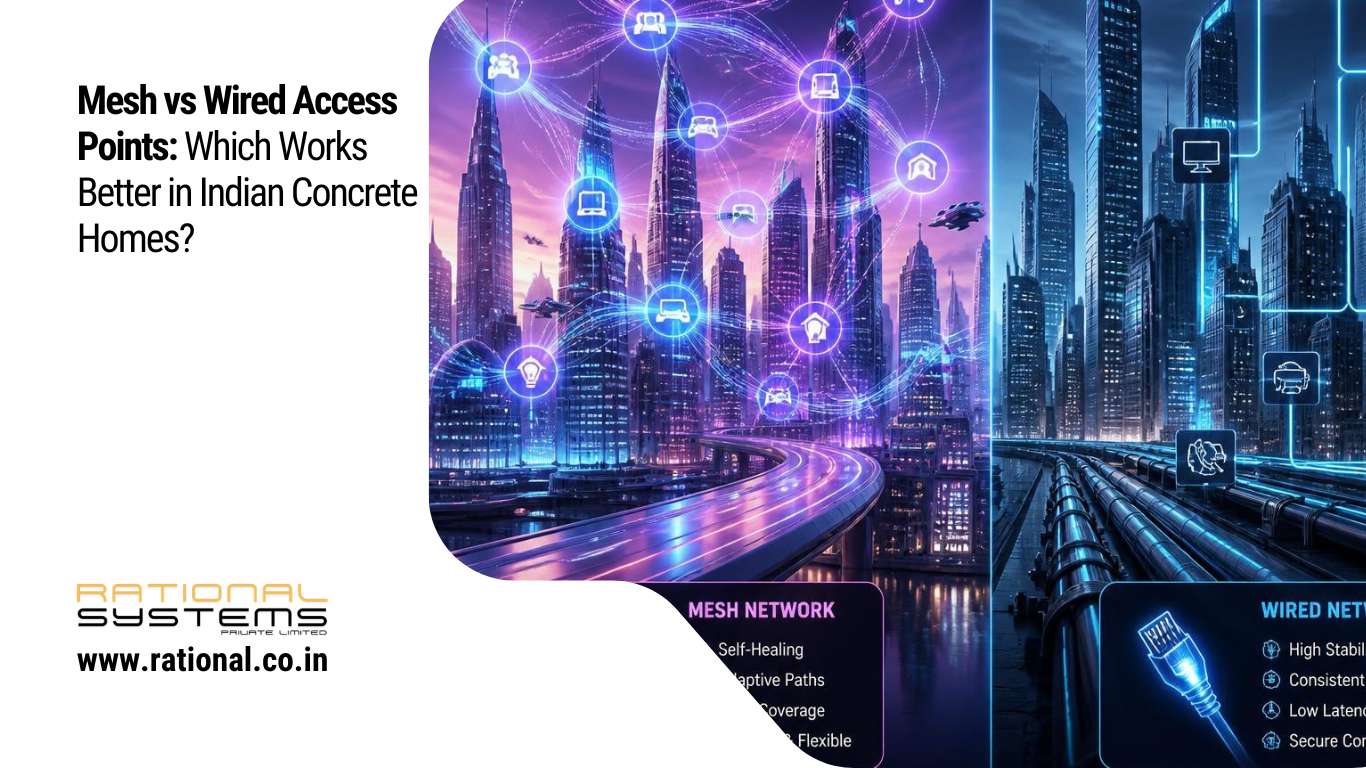
So the real question isn’t “which router is best?” It’s “which network architecture suits a concrete house?” For most people, that comes down to two choices: mesh Wi-Fi or wired access points.
This guide explains what actually happens to a Wi-Fi signal in an Indian home, how both options work, where each one wins, and what we recommend after seeing this play out in real homes.
What Concrete Actually Does to Your Wi-Fi Signal
Wi-Fi is radio. Radio waves get weaker as they pass through materials, and how much weaker depends on the material and the frequency.
In an Indian home, the signal usually has to get through some combination of:
- Brick or fly-ash walls, typically 4.5 to 9 inches thick, plastered on both sides
- RCC slabs and beams between floors
- Steel reinforcement inside columns, beams and slabs, which reflects and scatters radio energy
- Metal elements like grill doors, steel almirahs and false-ceiling frames
- Water: tanks, pipes and even people absorb signal
The rule to remember: higher frequencies carry more data but penetrate less.
| Band | Speed potential | Wall penetration | Best use |
|---|---|---|---|
| 2.4 GHz | Lower | Better | Smart plugs, cameras, far corners |
| 5 GHz | High | Moderate to poor | Laptops, phones, streaming |
| 6 GHz (Wi-Fi 6E/7) | Highest | Poorest | Same-room or line-of-sight, very fast |
This is the part many people miss. The newest Wi-Fi standards, Wi-Fi 6E and Wi-Fi 7, use the 6 GHz band, which gives excellent speeds but struggles hardest with thick walls. A brand-new Wi-Fi 7 router placed in a concrete house can sometimes serve fewer rooms at full speed than an older, well-placed setup.
As a rough guide, each concrete wall or slab can cost a 5 GHz signal anywhere from about 10 to 20 dB, and losses stack up quickly. Every 3 dB loss is roughly half the signal power. Two or three heavy walls can turn a strong signal into a barely usable one. The exact figure varies with wall thickness, rebar density and construction quality, which is why we always test on site instead of guessing.
So no matter which option you choose, one principle applies: you need to bring the access point to the signal’s destination instead of forcing the signal through the building.
Mesh and wired access points both follow that principle. They differ in how they connect the units together, and that difference decides everything.
First, Let’s Clear Up the Terminology
The words “mesh” and “access point” get mixed up, and marketing makes it worse.
An access point (AP) is a device that broadcasts Wi-Fi. It connects to your network and gives wireless devices a way in.
A mesh system is a set of units that work together to create one Wi-Fi network. The key detail is how the units talk to each other. In a typical consumer mesh, the satellite units connect back to the main router wirelessly. That link between units is called the backhaul.
A wired access point setup uses a network cable, usually Cat6, running from each access point back to a central switch or router. The backhaul is a physical cable.
Here’s the nuance most blogs skip: mesh and wired aren’t strictly opposites. Many modern mesh systems, including the UniFi and Aruba Instant On ranges we deploy, can use wired backhaul when a cable is available. A mesh system with cables between its units is effectively a wired access point network with smart roaming.
So the real comparison is:
- Wireless-backhaul mesh: the units talk to each other over the air
- Wired-backhaul access points: the units talk to each other over cable
That’s what we compare below.
How Wireless Mesh Works in a Concrete Home
In a wireless mesh, your main unit connects to the modem. Satellite units placed around the house pick up its signal and rebroadcast it.
Where it works well
- Single-floor apartments with moderate wall counts
- Rented homes where you can’t drill or run cables
- Quick fixes when you need better coverage this week
- Homes where the mesh nodes can “see” each other with one wall or less between them
Where it struggles in concrete
The satellite still has to receive the signal from the main unit before it can share it. If you place a node where the signal is already weak, it just rebroadcasts a weak signal. This is the most common mesh mistake we see: people put the second unit in the dead zone itself, which is exactly where it can’t hear the first one.
Then there’s bandwidth halving. In many single-radio or dual-band meshes, the same radio has to talk to your phone and talk back to the main router. Each hop can reduce your usable speed by roughly half. Two hops, and you might see a quarter of what you’d get near the router.
Some premium tri-band meshes dedicate a separate radio to backhaul, which helps a lot. But that dedicated backhaul band still faces the same concrete, especially if it runs on 5 GHz or 6 GHz.
Latency and stability
For video calls, online gaming and work-from-home sessions, the extra wireless hops add latency and occasional jitter. You may not notice it while scrolling, but you will on a client call that keeps freezing.
How Wired Access Points Work in a Concrete Home
In a wired setup, a Cat6 cable runs from a central switch to each access point, and the switch can also supply power to the access points through Power over Ethernet (PoE). Ceiling-mounted or wall-mounted access points then broadcast Wi-Fi from where it’s needed.
Because the backhaul doesn’t use radio at all, the concrete between your access points doesn’t matter. A cable carries the full wired speed, up to 1 Gbps on standard Cat6 gear and far beyond with multi-gig switches, from the utility room to the third floor, no matter how many slabs are in between.
Each access point then uses all of its radio capacity to serve your devices instead of sharing it with backhaul duty.
What you gain
- Full speed at every access point, with no halving across hops
- Stable, low latency that suits video calls, gaming, CCTV and smart-home devices
- Independence from wall material. Concrete only affects the short hop from AP to device, and you place APs so that hop is short
- PoE convenience: one cable delivers both data and power, so you don’t need a power socket near every ceiling AP
- Scalability: adding a room or floor means adding another cable and AP, not re-engineering the whole network
- Better management: professional platforms let you monitor every AP, see which devices are struggling, and fix issues remotely
What you give up
- Cabling has to be planned. In a finished home, running cables means conduits, false ceilings or surface trunking
- Higher upfront cost and effort than dropping in a mesh kit
- It’s less DIY-friendly. Good results depend on proper design
That last point is where a good site survey saves a lot of money.
Mesh vs Wired Access Points: Side-by-Side Comparison
| Factor | Wireless-backhaul mesh | Wired-backhaul access points |
|---|---|---|
| Performance through concrete | Degrades at each hop | Consistent, backhaul unaffected |
| Speed at far rooms | Often reduced by 50% or more | Near-full, limited by AP-to-device range |
| Latency and stability | Moderate | Excellent |
| Installation | Easy, plug and play | Needs cabling, best done by a professional |
| Best for | Rentals, small flats, quick fixes | Owned homes, villas, multi-floor, new builds |
| Upfront cost | Lower | Moderate to higher |
| Long-term reliability | Can degrade as devices grow | Scales well |
| Smart home and CCTV support | Fair | Strong |
| Future-proofing (Wi-Fi 7 and beyond) | Limited by wireless backhaul | Strong, since cables outlast Wi-Fi generations |
So Which Works Better in Indian Concrete Homes?
For most owned, multi-room or multi-floor concrete homes, wired-backhaul access points work better. The reason is simple. Concrete is the enemy of wireless backhaul, and a cable takes the enemy out of the equation.
But “better” depends on your situation, so here’s how we usually guide people.
Choose wired access points if you:
- Own your home, or are building or renovating one
- Live in a villa, builder floor, duplex or multi-storey home
- Work from home or take frequent video calls
- Run CCTV cameras, a smart-home system or a home theatre
- Have more than 15 to 20 connected devices (most Indian homes cross this easily)
- Want a network that will still make sense when Wi-Fi 7 devices become normal
Choose mesh if you:
- Rent, and can’t drill walls or run cables
- Live in a compact apartment of roughly 2 BHK size
- Need a quick, low-effort improvement
- Have a mostly open layout with limited walls between units
The smart middle path: hybrid
Many homes end up hybrid. Use wired backhaul wherever a cable can reach, such as between floors or to the terrace, and use wireless mesh links only for the one spot where cabling is genuinely impractical. This gives you most of the benefit without tearing up finished walls.
Common Mistakes We See in Indian Homes
After many site visits across Delhi NCR, these mistakes come up again and again.
1. Placing the router in a corner or store room.
Builders often put the broadband termination point in a utility corner. A router hidden there wastes half its coverage on outer walls. Wi-Fi works best from a central, elevated position.
2. Putting the mesh satellite in the dead zone.
A node needs a good signal from its parent before it can help. Place it about halfway between the main unit and the weak area, not inside the weak area.
3. Using powerline adapters or cheap extenders as a fix.
Wi-Fi extenders repeat a signal and typically halve throughput. Powerline adapters depend on old, often poorly earthed home wiring, and performance varies wildly. Neither is a substitute for a proper cable. (This is exactly why we say a proper Cat6 backbone beats extenders.)
4. Buying on speed rating alone.
“AX6000” or “BE9300” is a combined theoretical number across all bands. It says almost nothing about how the signal behaves through your walls.
5. Ignoring the 2.4 GHz band.
Everyone chases 5 GHz and 6 GHz, but smart bulbs, plugs, cameras and many appliances only work on 2.4 GHz. In a concrete house, that band’s better penetration is a feature.
6. Skipping the site survey.
This is the biggest one. Guessing where to put access points is how people end up buying the same hardware twice. A survey measures actual signal loss in your home, so placement is based on data.
Planning a Wired Network in a Concrete Home
If you’ve decided wired access points suit you, this is the process we follow.
Step 1: Map the house
List every floor, the rooms that need strong Wi-Fi, and the places where devices sit: bedrooms, study, kitchen, terrace, garage, home theatre. Note where the internet line enters the house.
Step 2: Do a site survey
Measure real signal strength room by room. This tells you how many access points you need and exactly where. Most homes of 3,000 to 5,000 sq ft need fewer access points than people fear, but they need to be in the right places. We’ve written more about why this matters in our guide on network site surveys.
Step 3: Choose the cabling path
In new construction, this is easy. Ask your electrician or interior contractor to lay empty conduit from a central rack location to each planned AP position before walls are plastered. A few conduits cost very little now and are expensive to add later.
In a finished home, common routes include existing conduits, false ceilings, cable trunking along skirting or cornices, and staircase shafts for vertical runs.
Step 4: Use proper cable
Use Cat6 (Cat6A if you want extra headroom) from a reputable manufacturer, not cheap copper-clad aluminium cable. Poor cable is a false economy and a hidden cause of unreliable networks.
Step 5: Pick a switch with PoE
A PoE switch powers each access point through the same cable, so you don’t need sockets in the ceiling. Choose a switch with enough ports and power budget for your APs and any cameras you’ll add later.
Step 6: Select ceiling or wall access points
Ceiling-mounted APs generally give the best coverage because the signal spreads down and out. Ubiquiti UniFi and Aruba Instant On both offer good options for homes, with roaming that lets your phone move between APs without dropping a call.
Step 7: Configure properly
Set sensible channel widths (wider isn’t always better in dense areas), separate SSIDs or VLANs for guests and smart-home devices, and enable proper security. Good configuration matters as much as good hardware.
A Note on Wi-Fi 6, 6E and Wi-Fi 7 in Concrete Homes
People often ask whether they should wait for, or pay extra for, the latest standard.
Wi-Fi 6 and 6E are solid choices today and are widely supported. Wi-Fi 7 brings real improvements, such as multi-link operation and better handling of congestion, but its headline speeds depend on wide channels in the 6 GHz band, and that band is the one concrete blocks the most.
The practical takeaway: a Wi-Fi 7 access point works best when it’s close to your devices, which is exactly what a wired multi-AP layout gives you. A single Wi-Fi 7 router in one corner of a concrete house will not deliver Wi-Fi 7 experience in every room. Cables and good AP placement matter more than the generation number on the box.
What About Cost?
Costs vary widely by brand, home size and cabling difficulty, so treat this as a directional guide, not a quote.
- A consumer mesh kit usually costs less upfront and takes an evening to set up
- A wired AP network costs more because of switch, cabling and installation, but the equipment typically lasts longer and performs more consistently
The comparison many people forget is the cost of getting it wrong: buying a mesh kit, finding dead zones remain, adding extenders, then eventually rewiring anyway. In our experience, building the wired foundation once often works out cheaper over a few years than repeated patch-ups.
If you’re building or renovating, the additional cost of laying conduit and cable during construction is small compared to the total project. It’s the cheapest moment you’ll ever have to fix the network for good.
Our Honest Recommendation
If you’re renting a flat or need something quick, a decent mesh system is a perfectly reasonable choice, and I’d rather you buy one than suffer with a bad router.
But if you own or are building a concrete home in India, especially over one floor or above about 2,000 sq ft, plan for wired access points. Run the cables, use PoE, place APs where people actually use Wi-Fi, and let mesh-style roaming and central management do the rest.
Wi-Fi standards change every few years. Cable in the wall stays useful for a decade or more. Investing in the part that lasts is the most sensible approach.
Frequently Asked Questions
Is mesh Wi-Fi good for Indian homes with thick walls?
It can work in smaller homes or open layouts, but each wireless hop through thick RCC or brick walls reduces speed and stability. For larger or multi-floor homes, wired backhaul performs more reliably.
Can I use mesh with wired backhaul?
Yes. Many mesh and access point systems, including UniFi and Aruba Instant On, support Ethernet backhaul. This combines easy roaming with the speed and stability of cables and is often the best of both worlds.
How many access points does a concrete house need?
It depends on layout, wall thickness and device load. As a rough starting point, many homes need one access point per floor or per 800 to 1,200 sq ft, but a site survey gives the real answer.
Do Wi-Fi extenders work in concrete homes?
Usually poorly. Extenders repeat a weak signal and typically cut throughput significantly. A wired access point is a much better fix.
Is Cat6 cable necessary, or is Cat5e enough?
Cat5e handles gigabit speeds over typical home distances, but Cat6 or Cat6A gives more headroom for multi-gig connections and future upgrades, at a small extra cost.
Can I retrofit cabling in an already-built home?
Usually yes, using existing conduits, false ceilings, trunking or shafts. It takes planning, but a professional can often find clean routes with minimal disruption.
Which is better for CCTV and smart homes, mesh or wired?
Wired. Cameras and smart-home controllers need stable connections, and PoE lets cameras run on the same cabling infrastructure.
Ready to Fix Your Home Wi-Fi Properly?
If you’re in Delhi NCR and tired of dead zones, buffering and guesswork, the best first step is understanding your actual home, not buying more hardware.
At Rational Systems, we survey your space, design the layout, and install and manage the network so it keeps working. Visit rational.co.in or get in touch for a site survey and a network plan built around your home.
About the Author
Sumit Thukral is the founder of Rational Systems Private Limited, a Delhi NCR-based IT infrastructure and managed wireless network company with around 30 years of industry experience. His team designs and manages Wi-Fi, structured cabling and PoE networks for homes, offices, hotels and institutions.