Table of Contents
A reliable office network is essential for modern businesses. Employees depend on stable internet connectivity, shared files, cloud applications, video meetings, and connected devices to complete their daily work. When your network struggles to keep up, even simple tasks can become frustrating.
For businesses across Delhi NCR and India, investing in suitable office network solutions can help improve connectivity, support business growth, and address recurring technical problems.
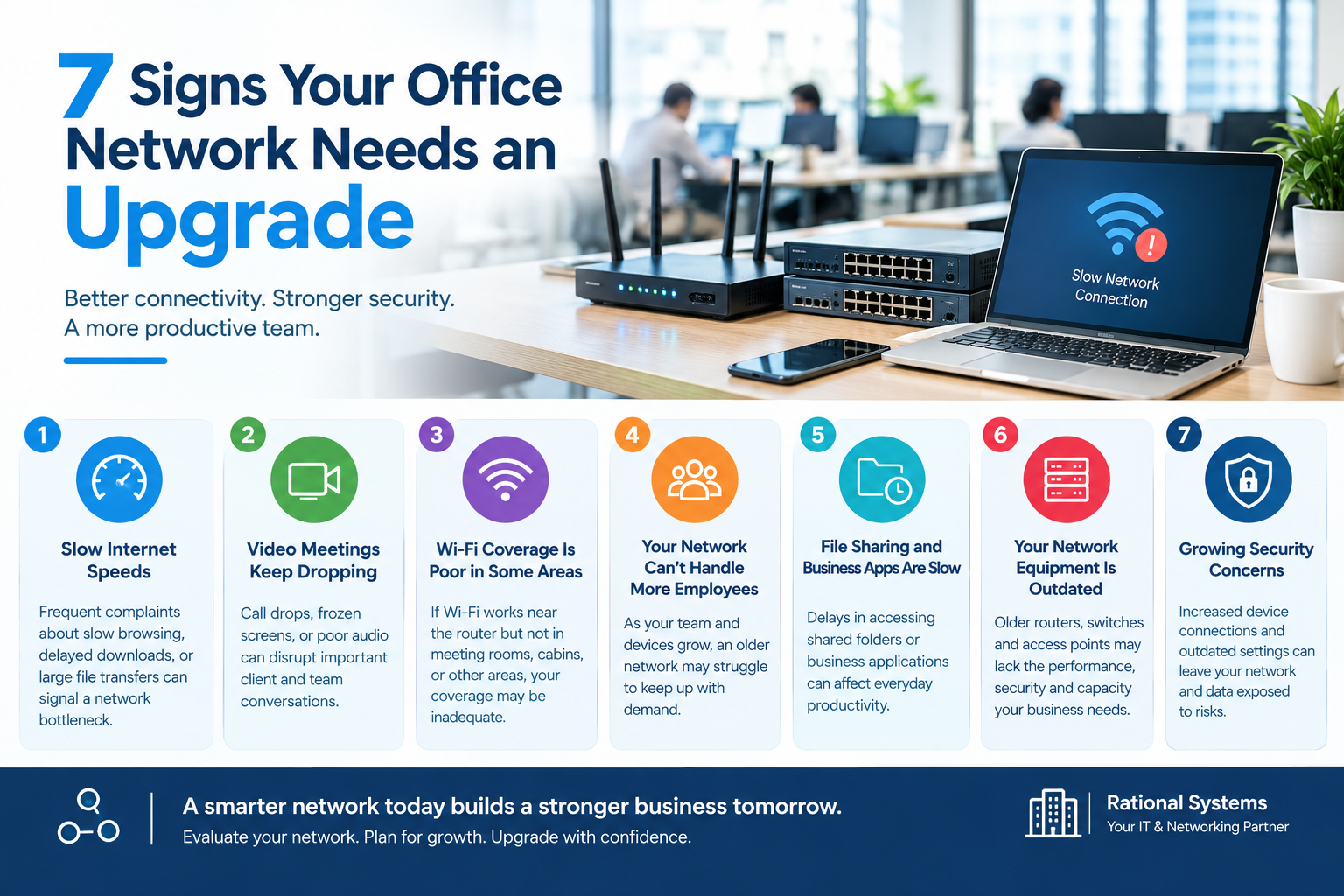
But how do you know when your existing network needs an upgrade? Here are seven common signs to watch for.
1. Your Office Internet Is Frequently Slow
If employees regularly complain about slow downloads, delayed file transfers, or websites taking too long to load, your network may need attention.
Slow internet does not always mean you need new equipment. The cause could be an overloaded connection, poor Wi-Fi coverage, outdated hardware, or network configuration issues.
What to do: Check internet usage, test speeds at different times, and ask an IT professional to identify the underlying problem before investing in upgrades.
2. Video Meetings Keep Dropping
Video conferences are important for communicating with clients, suppliers, and remote employees. Frequent call drops, frozen screens, and poor audio quality can disrupt professional conversations.
These issues may result from unstable connectivity, high network congestion, weak wireless signals, or insufficient bandwidth.
What to do: Assess network performance during peak working hours and consider improvements to bandwidth, Wi-Fi access points, or network configuration where necessary.
3. Wi-Fi Coverage Is Poor in Certain Areas
Does your Wi-Fi work well near the router but become unreliable in meeting rooms, cabins, or other parts of the office?
Walls, interference, building layout, and access point placement can all affect wireless coverage.
What to do: Conduct a Wi-Fi coverage assessment. Depending on the findings, your business may benefit from strategically placed access points, better equipment, or a properly designed wireless network.
4. Your Network Cannot Handle More Employees
A network that worked well for a small team may struggle as your business grows. Additional employees, laptops, printers, smartphones, and cloud applications increase demand on network resources.
If performance deteriorates whenever more people connect, your infrastructure may need additional capacity.
What to do: Review your current equipment, connected devices, internet plan, and expected business growth before planning an upgrade.
5. File Sharing and Business Applications Are Slow
Slow access to shared folders, business software, or internal systems can affect employee productivity.
The issue may involve network congestion, an overloaded server, application performance, or outdated network equipment.
What to do: Investigate where delays occur and determine whether the problem is related to the network, server, internet connection, or application itself.
6. Your Network Equipment Is Outdated
Older routers, switches, and wireless access points may lack the performance, security features, or capacity required by modern business applications.
Equipment that no longer receives security updates or cannot support your business requirements deserves particular attention.
What to do: Review equipment age, firmware support, available security features, and compatibility with current devices. Replace equipment based on documented needs rather than age alone.
7. Your Business Has Growing Network Security Concerns
A business network needs appropriate security controls to protect devices, accounts, and sensitive information.
Warning signs may include default administrator passwords, outdated firmware, poorly controlled guest access, or a lack of separation between guest Wi-Fi and internal business systems.
What to do: Review firewall settings, administrator access, Wi-Fi security, firmware updates, and network segmentation with a qualified IT professional.
Conclusion
Your office network should support your business, not slow it down. Frequent connectivity problems, weak Wi-Fi coverage, outdated equipment, and increasing security concerns can indicate that your existing infrastructure needs attention.
The right upgrade may involve a better internet plan, improved Wi-Fi coverage, updated switches, stronger security controls, or a complete network redesign. A professional assessment can help identify the most practical and cost-effective approach.
Looking for reliable office network solutions?
Rational Systems can help your business explore networking and IT support options suited to its requirements. Visit rational.co.in to learn more about our services and discuss your office network needs.
Build a network that supports your team’s productivity today and your business’s growth tomorrow.